hadoop-zookeeper-kafka全流程配置,克隆、无秘钥、xml配置等,解决Error contacting service. It is probably not running.BUG
1.准备kafka原jar2.解压tar[cevent@hadoop207 ~]$ cd /opt/soft/[cevent@hadoop207 soft]$ ll总用量 795412-rw-rw-r--. 1 cevent cevent55711670 6月11 13:31apache-flume-1.7.0-bin.tar.gz-rw-r--r--. 1 cevent cevent928348
·
1.准备kafka原jar
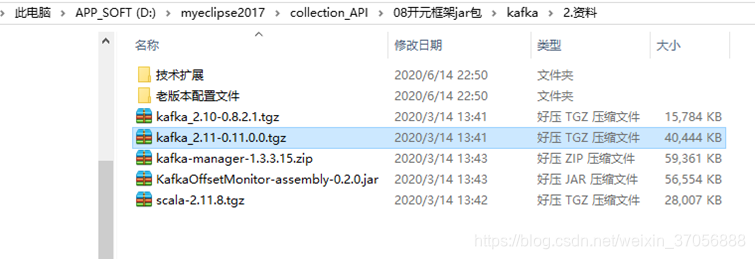
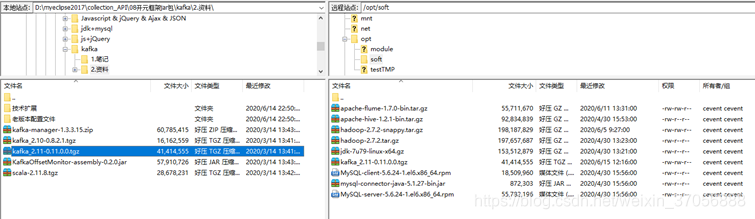
2.解压tar
  [cevent@hadoop207 ~]$ cd /opt/soft/
  [cevent@hadoop207 soft]$ ll
  总用量 795412
  -rw-rw-r--. 1 cevent cevent  55711670 6月  11 13:31
  apache-flume-1.7.0-bin.tar.gz
  -rw-r--r--. 1 cevent cevent  92834839 4月  30 15:53
  apache-hive-1.2.1-bin.tar.gz
  -rw-rw-r--. 1 cevent cevent 198187829 6月   5 09:27 hadoop-2.7.2-snappy.tar.gz
  -rw-r--r--. 1 cevent cevent 197657687 4月  30 13:23 hadoop-2.7.2.tar.gz
  -rw-r--r--. 1 cevent cevent 153512879 4月  30 13:21 jdk-7u79-linux-x64.gz
  -rw-rw-r--. 1 cevent cevent  41414555 6月  15 12:16
  kafka_2.11-0.11.0.0.tgz
  -rw-r--r--. 1 cevent cevent  18509960 4月  30 15:56 MySQL-client-5.6.24-1.el6.x86_64.rpm
  -rw-r--r--. 1 cevent cevent    872303 4月  30 15:56
  mysql-connector-java-5.1.27-bin.jar
  -rw-r--r--. 1 cevent cevent  55782196 4月  30 15:56
  MySQL-server-5.6.24-1.el6.x86_64.rpm
  [cevent@hadoop207 soft]$ tar -zxvf kafka_2.11-0.11.0.0.tgz -C /opt/module/
  kafka_2.11-0.11.0.0/
  kafka_2.11-0.11.0.0/LICENSE
  kafka_2.11-0.11.0.0/NOTICE
  kafka_2.11-0.11.0.0/bin/
3.查看改名
1.     查看改名

[cevent@hadoop207 module]$ ll

总用量 28

drwxrwxr-x. 12 cevent cevent 4096 6月
12 16:46 apache-flume-1.7.0

drwxrwxr-x.
8 cevent cevent 4096 6月  13 20:53 datas

drwxr-xr-x. 11 cevent cevent 4096 5月
22 2017 hadoop-2.7.2

drwxrwxr-x.
3 cevent cevent 4096 6月   5 13:27 hadoop-2.7.2-snappy

drwxrwxr-x. 10 cevent cevent 4096 5月
22 13:34 hive-1.2.1

drwxr-xr-x.
8 cevent cevent 4096 4月  11 2015 jdk1.7.0_79

drwxr-xr-x.
6 cevent cevent 4096 6月  23 2017 kafka_2.11-0.11.0.0

[cevent@hadoop207 module]$ mv kafka_2.11-0.11.0.0/ kafka
4.配置kafka-全局ID(如果是集群,要求每个kafka的id不同)kafka依赖于zookeeper运行
  [cevent@hadoop207 config]$ vim
  server.properties
  # Licensed to the Apache Software
  Foundation (ASF) under one or more
  # contributor license agreements.  See the NOTICE file distributed with
  # this work for additional information
  regarding copyright ownership.
  # The ASF licenses this file to You under
  the Apache License, Version 2.0
  # (the "License"); you may not
  use this file except in compliance with
  # the License.  You may obtain a copy of the License at
  #
  #
  http://www.apache.org/licenses/LICENSE-2.0
  #
  # Unless required by applicable law or
  agreed to in writing, software
  # distributed under the License is
  distributed on an "AS IS" BASIS,
  # WITHOUT WARRANTIES OR CONDITIONS OF ANY
  KIND, either express or implied.
  # See the License for the specific language
  governing permissions and
  # limitations under the License.

  # see kafka.server.KafkaConfig for
  additional details and defaults

  ############################# Server
  Basics #############################

  # The id of the broker. This must be set
  to a unique integer for each broker.
  broker.id=kafka207

  # Switch to enable topic deletion or not,
  default value is false
  delete.topic.enable=true

  ############################# Socket
  Server Settings #############################

  # The address the socket server listens
  on. It will get the value returned from
  #
  java.net.InetAddress.getCanonicalHostName() if not configured.
  #
  FORMAT:
  #
  listeners = listener_name://host_name:port
  #
  EXAMPLE:
  #
  listeners = PLAINTEXT://your.host.name:9092
  #listeners=PLAINTEXT://:9092

  # Hostname and port the broker will
  advertise to producers and consumers. If not set,
  # it uses the value for
  "listeners" if configured.
  Otherwise, it will use the value
  # returned from
  java.net.InetAddress.getCanonicalHostName().
  #advertised.listeners=PLAINTEXT://your.host.name:9092

  # Maps listener names to security
  protocols, the default is for them to be the same. See the config
  documentation for more details
  #listener.security.protocol.map=PLAINTEXT:PLAINTEXT,SSL:SSL,SASL_PLAINTEXT:SASL_PLAINTEXT,SASL_SSL:SASL_SSL

  # The number of threads that the server
  uses for receiving requests from the network and sending responses to the
  network
  num.network.threads=3

  # The number of threads that the server
  uses for processing requests, which may include disk I/O
  num.io.threads=8

  # The send buffer (SO_SNDBUF) used by the
  socket server
  socket.send.buffer.bytes=102400

  # The receive buffer (SO_RCVBUF) used by
  the socket server
  socket.receive.buffer.bytes=102400

  # The maximum size of a request that the
  socket server will accept (protection against OOM)
  socket.request.max.bytes=104857600


  ############################# Log Basics
  #############################

  # A comma seperated list of directories
  under which to store log files
  # log.dirs=/tmp/kafka-logs
  log.dirs=/opt/module/kafka_2.11-0.11.0.0/logs

  # The default number of log partitions
  per topic. More partitions allow greater
  # parallelism for consumption, but this
  will also result in more files across
  # the brokers.
  num.partitions=1

  # The number of threads per data
  directory to be used for log recovery at startup and flushing at shutdown.
  # This value is recommended to be
  increased for installations with data dirs located in RAID array.
  num.recovery.threads.per.data.dir=1

  ############################# Internal
  Topic Settings
  #############################
  # The replication factor for the group
  metadata internal topics "__consumer_offsets" and
  "__transaction_state"
  # For anything other than development
  testing, a value greater than 1 is recommended for to ensure availability
  such as 3.
  offsets.topic.replication.factor=1
  transaction.state.log.replication.factor=1
  transaction.state.log.min.isr=1

  ############################# Log Flush
  Policy #############################

  # Messages are immediately written to the
  filesystem but by default we only fsync() to sync
  # the OS cache lazily. The following
  configurations control the flush of data to disk.
  # There are a few important trade-offs
  here:
  #
  1. Durability: Unflushed data may be lost if you are not using
  replication.
  #
  2. Latency: Very large flush intervals may lead to latency spikes when
  the flush does occur as there will be a lot of data to flush.
  #
  3. Throughput: The flush is generally the most expensive operation,
  and a small flush interval may lead to exceessive seeks.
  # The settings below allow one to
  configure the flush policy to flush data after a period of time or
  # every N messages (or both). This can be
  done globally and overridden on a per-topic basis.

  # The number of messages to accept before
  forcing a flush of data to disk
  #log.flush.interval.messages=10000

  # The maximum amount of time a message
  can sit in a log before we force a flush
  #log.flush.interval.ms=1000

  ############################# Log
  Retention Policy #############################

  # The following configurations control
  the disposal of log segments. The policy can
  # be set to delete segments after a
  period of time, or after a given size has accumulated.
  # A segment will be deleted whenever
  *either* of these criteria are met. Deletion always happens
  # from the end of the log.

  # The minimum age of a log file to be
  eligible for deletion due to age
  log.retention.hours=168

  # A size-based retention policy for logs.
  Segments are pruned from the log as long as the remaining
  # segments don't drop below
  log.retention.bytes. Functions independently of log.retention.hours.
  #log.retention.bytes=1073741824

  # The maximum size of a log segment file.
  When this size is reached a new log segment will be created.
  log.segment.bytes=1073741824

  # The interval at which log segments are
  checked to see if they can be deleted according
  # to the retention policies
  log.retention.check.interval.ms=300000

  ############################# Zookeeper
  #############################

  # Zookeeper connection string (see
  zookeeper docs for details).
  # This is a comma separated host:port
  pairs, each corresponding to a zk
  # server. e.g.
  "127.0.0.1:3000,127.0.0.1:3001,127.0.0.1:3002".
  # You can also append an optional chroot
  string to the urls to specify the
  # root directory for all kafka znodes.
  zookeeper.connect=hadoop205.cevent.com:2181,hadoop206.cevent.com:2181,hadoop207.cevent.com:2181

  # Timeout in ms for connecting to
  zookeeper
  zookeeper.connection.timeout.ms=6000


  ############################# Group
  Coordinator Settings #############################

  # The following configuration specifies
  the time, in milliseconds, that the GroupCoordinator will delay the initial
  consumer rebalance.
  # The rebalance will be further delayed
  by the value of group.initial.rebalance.delay.ms as new members join the
  group, up to a maximum of max.poll.interval.ms.
  # The default value for this is 3
  seconds.
  # We override this to 0 here as it makes
  for a better out-of-the-box experience for development and testing.
  @
  @
5.根据虚拟机修改zookeeper的主机ID(必须是int),有max值限制,这里只用7,8,9代替broker_id
  [cevent@hadoop207 config]$ vim
  server.properties
  # Licensed to the Apache Software
  Foundation (ASF) under one or more
  # contributor license agreements.  See the NOTICE file distributed with
  # this work for additional information
  regarding copyright ownership.
  # The ASF licenses this file to You under
  the Apache License, Version 2.0
  # (the "License"); you may not
  use this file except in compliance with
  # the License.  You may obtain a copy of the License at
  #
  #
  http://www.apache.org/licenses/LICENSE-2.0
  #
  # Unless required by applicable law or
  agreed to in writing, software
  # distributed under the License is
  distributed on an "AS IS" BASIS,
  # WITHOUT WARRANTIES OR CONDITIONS OF ANY
  KIND, either express or implied.
  # See the License for the specific language
  governing permissions and
  # limitations under the License.

  # see kafka.server.KafkaConfig for
  additional details and defaults

  ############################# Server
  Basics #############################

  # The id of the broker. This must be set
  to a unique integer for each broker.
  broker.id=207

  # Switch to enable topic deletion or not,
  default value is false
  delete.topic.enable=true

  ############################# Socket
  Server Settings #############################

  # The address the socket server listens
  on. It will get the value returned from
  #
  java.net.InetAddress.getCanonicalHostName() if not configured.
  #
  FORMAT:
  #
  listeners = listener_name://host_name:port
  #
  EXAMPLE:
  #
  listeners = PLAINTEXT://your.host.name:9092
  #listeners=PLAINTEXT://:9092

  # Hostname and port the broker will
  advertise to producers and consumers. If not set,
  # it uses the value for
  "listeners" if configured.
  Otherwise, it will use the value
  # returned from
  java.net.InetAddress.getCanonicalHostName().
  #advertised.listeners=PLAINTEXT://your.host.name:9092

  # Maps listener names to security
  protocols, the default is for them to be the same. See the config
  documentation for more details
  #listener.security.protocol.map=PLAINTEXT:PLAINTEXT,SSL:SSL,SASL_PLAINTEXT:SASL_PLAINTEXT,SASL_SSL:SASL_SSL

  # The number of threads that the server
  uses for receiving requests from the network and sending responses to the
  network
  num.network.threads=3

  # The number of threads that the server
  uses for processing requests, which may include disk I/O
  num.io.threads=8

  # The send buffer (SO_SNDBUF) used by the
  socket server
  socket.send.buffer.bytes=102400

  # The receive buffer (SO_RCVBUF) used by
  the socket server
  socket.receive.buffer.bytes=102400

  # The maximum size of a request that the
  socket server will accept (protection against OOM)
  socket.request.max.bytes=104857600


  ############################# Log Basics
  #############################

  # A comma seperated list of directories
  under which to store log files
  # log.dirs=/tmp/kafka-logs
  log.dirs=/opt/module/kafka_2.11-0.11.0.0/logs

  # The default number of log partitions
  per topic. More partitions allow greater
  # parallelism for consumption, but this
  will also result in more files across
  # the brokers.
  num.partitions=1

  # The number of threads per data
  directory to be used for log recovery at startup and flushing at shutdown.
  # This value is recommended to be
  increased for installations with data dirs located in RAID array.
  num.recovery.threads.per.data.dir=1

  ############################# Internal
  Topic Settings
  #############################
  # The replication factor for the group
  metadata internal topics "__consumer_offsets" and
  "__transaction_state"
  # For anything other than development
  testing, a value greater than 1 is recommended for to ensure availability
  such as 3.
  offsets.topic.replication.factor=1
  transaction.state.log.replication.factor=1
  transaction.state.log.min.isr=1

  ############################# Log Flush
  Policy #############################

  # Messages are immediately written to the
  filesystem but by default we only fsync() to sync
  # the OS cache lazily. The following
  configurations control the flush of data to disk.
  # There are a few important trade-offs
  here:
  #
  1. Durability: Unflushed data may be lost if you are not using
  replication.
  #
  2. Latency: Very large flush intervals may lead to latency spikes when
  the flush does occur as there will be a lot of data to flush.
  #
  3. Throughput: The flush is generally the most expensive operation, and
  a small flush interval may lead to exceessive seeks.
  # The settings below allow one to
  configure the flush policy to flush data after a period of time or
  # every N messages (or both). This can be
  done globally and overridden on a per-topic basis.

  # The number of messages to accept before
  forcing a flush of data to disk
  #log.flush.interval.messages=10000

  # The maximum amount of time a message
  can sit in a log before we force a flush
  #log.flush.interval.ms=1000

  ############################# Log Retention
  Policy #############################

  # The following configurations control
  the disposal of log segments. The policy can
  # be set to delete segments after a
  period of time, or after a given size has accumulated.
  # A segment will be deleted whenever
  *either* of these criteria are met. Deletion always happens
  # from the end of the log.

  # The minimum age of a log file to be
  eligible for deletion due to age
  log.retention.hours=168

  # A size-based retention policy for logs.
  Segments are pruned from the log as long as the remaining
  # segments don't drop below
  log.retention.bytes. Functions independently of log.retention.hours.
  #log.retention.bytes=1073741824

  # The maximum size of a log segment file.
  When this size is reached a new log segment will be created.
  log.segment.bytes=1073741824

  # The interval at which log segments are
  checked to see if they can be deleted according
  # to the retention policies
  log.retention.check.interval.ms=300000

  ############################# Zookeeper
  #############################

  # Zookeeper connection string (see
  zookeeper docs for details).
  # This is a comma separated host:port
  pairs, each corresponding to a zk
  # server. e.g. "127.0.0.1:3000,127.0.0.1:3001,127.0.0.1:3002".
  # You can also append an optional chroot
  string to the urls to specify the
  # root directory for all kafka znodes.
  zookeeper.connect=hadoop207.cevent.com:2181,hadoop208.cevent.com:2181,hadoop209.cevent.com:2181

  # Timeout in ms for connecting to
  zookeeper
  zookeeper.connection.timeout.ms=6000


  ############################# Group
  Coordinator Settings #############################

  # The following configuration specifies
  the time, in milliseconds, that the GroupCoordinator will delay the initial
  consumer rebalance.
  # The rebalance will be further delayed
  by the value of group.initial.rebalance.delay.ms as new members join the
  group, up to a maximum of max.poll.interval.ms.
  # The default value for this is 3 seconds.
  # We override this to 0 here as it makes
  for a better out-of-the-box experience for development and testing.
  # However, in production environments the
  default value of 3 seconds is more suitable as this will help to avoid
  unnecessary, and potentially expensive, rebalances during application
  startup.
  group.initial.rebalance.delay.ms=0
6.集群hadoop-cluster-zookeeper,包括linux克隆、IP配置、无秘钥登录、xsync同步文件、xcall同步命令、zookeeper集群配置等
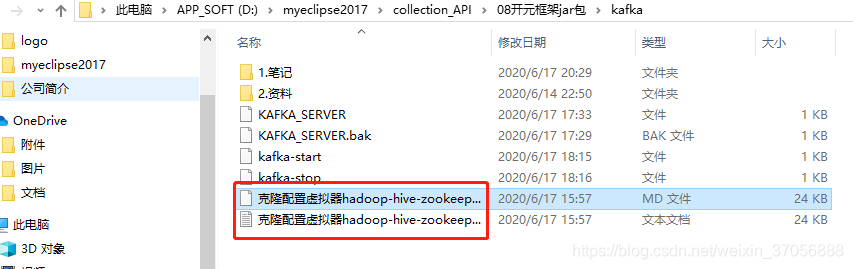
封装的源文件查找:克隆配置虚拟器hadoop-hive-zookeeper-kafka全流程.md
  1.清理垃圾
  [root@hadoop201 ~]# rm -rf
  anaconda-ks.cfg install.log install.log.syslog

  2.选中“克隆虚拟机”:“右键→管理→克隆”
  弹窗:
  (1)下一步
  (2)克隆自:虚拟机中的当前状态
  (3)创建完整克隆
  (4)虚拟机命名,选择存储位置
  (5)完成

  3.配置IP
  (1)获取地址:vi /etc/udev/rules.d/70-persistent-net.rules
  删除第一个eth0,改第二个eth0为eth1
  SUBSYSTEM=="net",
  ACTION=="add", DRIVERS=="?*",
  ATTR{address}=="00:0c:29:2e:99:a1", ATTR{type}=="1", KERNEL=="eth*",
  NAME=="eth0"
  ~
  208:"00:0c:29:2e:99:a1"
  209:"00:0c:29:78:4f:3f"
  (2)修改本机IP:vi /etc/sysconfig/network-scripts/ifcfg-eth0
  DEVICE=eth0
  HWADDR=00:0c:29:b9:4d:21
  TYPE=Ethernet
  UUID=73c15477-5d31-4956-8be7-2809e1d204db
  ONBOOT=yes
  NM_CONTROLLED=yes
  BOOTPROTO=static

  IPADDR=192.168.1.208
  GATEWAY=192.168.1.3
  DNS1=192.168.1.3
  (3)配置主机名
  |- 当前主机名:hostname
  hadoop206.cevent.com
  |- 修改网络主机配置:vi /etc/sysconfig/network
  NETWORKING=yes
  HOSTNAME=hadoop208.cevent.com
  |- 修改主机配置:vi /etc/hosts
  127.0.0.1   localhost localhost.localdomain localhost4
  localhost4.localdomain4
  ::1         localhost localhost.localdomain
  localhost6 localhost6.localdomain6
  192.168.1.201 hadoop201.cevent.com
  192.168.1.202 hadoop202.cevent.com
  192.168.1.203 hadoop203.cevent.com
  192.168.1.204 hadoop204.cevent.com
  192.168.1.205 hadoop205.cevent.com
  192.168.1.206 hadoop206.cevent.com
  192.168.1.207 hadoop207.cevent.com
  192.168.1.208 hadoop208.cevent.com
  192.168.1.209 hadoop209.cevent.com

  4.重启生效
  (1)sync
  (2)reboot

  5.登录报错,修改hosts
  路径:C:\Windows\System32\drivers\etc\hosts
  ____________________________________________________________________________________
  # Copyright (c) 1993-2009 Microsoft Corp.
  #
  # This is a sample HOSTS file used by
  Microsoft TCP/IP for Windows.
  #
  # This file contains the mappings of IP
  addresses to host names. Each
  # entry should be kept on an individual
  line. The IP address should
  # be placed in the first column followed
  by the corresponding host name.
  # The IP address and the host name should
  be separated by at least one
  # space.
  #
  # Additionally, comments (such as these)
  may be inserted on individual
  # lines or following the machine name
  denoted by a '#' symbol.
  #
  # For example:
  #
  #
  102.54.94.97
  rhino.acme.com          # source
  server
  #
  38.25.63.10     x.acme.com              # x client host

  # localhost name resolution is handled
  within DNS itself.
  #       127.0.0.1       localhost
  #       ::1             localhost

  127.0.0.1 www.vmix.com
  192.30.253.112 github.com
  151.101.88.249
  github.global.ssl.fastly.net
  127.0.0.1
  www.xmind.net
  192.168.1.201 hadoop201.cevent.com
  192.168.1.202 hadoop202.cevent.com
  192.168.1.203 hadoop203.cevent.com
  192.168.1.204 hadoop204.cevent.com
  192.168.1.205 hadoop205.cevent.com
  192.168.1.206 hadoop206.cevent.com
  192.168.1.207 hadoop207.cevent.com
  192.168.1.208 hadoop208.cevent.com
  192.168.1.209 hadoop209.cevent.com
  192.168.1.1 windows10.microdone.cn

  6.ssh登录报错:
  [cevent@hadoop207 ~]$ sudo ssh
  hadoop209.cevent.com
  [sudo] password for cevent:
  ssh: Could not resolve hostname
  hadoop209.cevent.com: Name or service not known

  修改hosts: vi /etc/hosts
  127.0.0.1   localhost localhost.localdomain localhost4
  localhost4.localdomain4
  ::1         localhost localhost.localdomain
  localhost6 localhost6.localdomain6
  192.168.1.201 hadoop201.cevent.com
  192.168.1.202 hadoop202.cevent.com
  192.168.1.203 hadoop203.cevent.com
  192.168.1.204 hadoop204.cevent.com
  192.168.1.205 hadoop205.cevent.com
  192.168.1.206 hadoop206.cevent.com
  192.168.1.207 hadoop207.cevent.com
  192.168.1.208 hadoop208.cevent.com
  192.168.1.209 hadoop209.cevent.com

  7.无秘钥登录
  (1)ssh登录A
  [cevent@hadoop207 .ssh]$ ssh
  hadoop208.cevent.com
  The authenticity of host
  'hadoop208.cevent.com (192.168.1.208)' can't be established.
  RSA key fingerprint is
  fe:07:91:9c:00:5d:09:2c:48:bb:d5:53:9f:09:6c:34.
  Are you sure you want to continue
  connecting (yes/no)? yes
  Warning: Permanently added 'hadoop208.cevent.com,192.168.1.208'
  (RSA) to the list of known hosts.
  cevent@hadoop208.cevent.com's password:
  Last login: Mon Jun 15 16:06:58 2020 from
  192.168.1.1
  [cevent@hadoop208 ~]$ exit
  logout
  (2)ssh登录B
  [cevent@hadoop207 ~]$ ssh hadoop209.cevent.com
  The authenticity of host
  'hadoop209.cevent.com (192.168.1.209)' can't be established.
  RSA key fingerprint is
  fe:07:91:9c:00:5d:09:2c:48:bb:d5:53:9f:09:6c:34.
  Are you sure you want to continue
  connecting (yes/no)? yes
  Warning: Permanently added
  'hadoop209.cevent.com,192.168.1.209' (RSA) to the list of known hosts.
  cevent@hadoop209.cevent.com's password:
  Last login: Mon Jun 15 17:01:11 2020 from
  192.168.1.1
  [cevent@hadoop209 ~]$ exit
  logout
  (3)查看登录记录
  [cevent@hadoop207 ~]$ cd
  [cevent@hadoop207 ~]$ ls -al
  总用量 188
  drwx------. 26 cevent cevent  4096 6月  15 17:03 .
  drwxr-xr-x.  3 root
  root    4096 4月  30 09:15 ..
  drwxrwxr-x.  2 cevent cevent  4096 5月   7 10:43 .abrt
  -rw-------.  1 cevent cevent 17232 6月  15 17:05 .bash_history
  -rw-r--r--.  1 cevent cevent    18 5月  11 2016 .bash_logout
  -rw-r--r--.  1 cevent cevent   176 5月  11 2016 .bash_profile
  -rw-r--r--.  1 cevent cevent   124 5月  11 2016 .bashrc
  drwxrwxr-x.  2 cevent cevent  4096 5月   7 17:32 .beeline
  drwxr-xr-x.  3 cevent cevent  4096 5月   7 10:43 .cache
  drwxr-xr-x.  5 cevent cevent  4096 5月   7 10:43 .config
  drwx------.  3 cevent cevent  4096 5月   7 10:43 .dbus
  -rw-------.  1 cevent cevent    16 5月   7 10:43 .esd_auth
  drwx------.  4 cevent cevent  4096 6月  14 22:13 .gconf
  drwx------.  2 cevent cevent  4096 6月  14 23:14 .gconfd
  drwxr-xr-x.  5 cevent cevent  4096 5月   7 10:43 .gnome2
  drwxrwxr-x.  3 cevent cevent  4096 5月   7 10:43 .gnote
  drwx------.  2 cevent cevent  4096 6月  14 22:13 .gnupg
  -rw-rw-r--.  1 cevent cevent   195 6月  14 22:13 .gtk-bookmarks
  drwx------.  2 cevent cevent  4096 5月   7 10:43 .gvfs
  -rw-rw-r--.  1 cevent cevent   589 6月  12 13:42 .hivehistory
  -rw-------.  1 cevent cevent   620 6月  14 22:13 .ICEauthority
  -rw-r--r--.  1 cevent cevent   874 6月  14 23:14 .imsettings.log
  drwxr-xr-x.  3 cevent cevent  4096 5月   7 10:43 .local
  drwxr-xr-x.  4 cevent cevent  4096 3月  13 01:51 .mozilla
  -rw-------.  1 cevent cevent   214 5月   7 13:37 .mysql_history
  drwxr-xr-x.  2 cevent cevent  4096 5月   7 10:43 .nautilus
  drwx------.  2 cevent cevent  4096 5月   7 10:43 .pulse
  -rw-------.  1 cevent cevent   256 5月   7 10:43 .pulse-cookie
  drwx------.  2 cevent cevent  4096 4月  30 15:20 .ssh
  ...
  [cevent@hadoop207 ~]$ cd .ssh/
  [cevent@hadoop207 .ssh]$ ll
  总用量 16
  -rw-------. 1 cevent cevent  409 4月  30 15:20 authorized_keys
  -rw-------. 1 cevent cevent 1675 4月  30 15:20 id_rsa
  -rw-r--r--. 1 cevent cevent  409 4月  30 15:20 id_rsa.pub
  -rw-r--r--. 1 cevent cevent  832 6月  15 17:08 known_hosts
  查看登录记录
  [cevent@hadoop207 .ssh]$ vi
  known_hosts

  (5)生成ssh-key
  [cevent@hadoop207 .ssh]$ ssh-keygen -t
  rsa
  Generating public/private rsa key pair.
  Enter file in which to save the key
  (/home/cevent/.ssh/id_rsa): cevent
  Enter passphrase (empty for no
  passphrase):
  Enter same passphrase again:
  Your identification has been saved in
  cevent.
  Your public key has been saved in
  cevent.pub.
  The key fingerprint is:
  1c:5a:1a:d2:e4:3b:fe:36:39:df:95:b3:75:85:0f:af
  cevent@hadoop207.cevent.com
  The key's randomart image is:
  +--[ RSA 2048]----+
  |
  .          |
  |
  +           |
  |
  . + o        |
  |
  . B .     . |
  |
  = S     o .|
  |
  . .       =.|
  |
  .  .    + =|
  |
  .=  . . =.|
  |
  ..+. . E  |
  +-----------------+
  (6)复制key-id
  [cevent@hadoop207 .ssh]$ ssh-copy-id
  hadoop208.cevent.com
  [cevent@hadoop207 .ssh]$ ssh-copy-id
  hadoop209.cevent.com
  (7)测试ssh
  [cevent@hadoop207 .ssh]$ ssh
  hadoop208.cevent.com
  Last login: Mon Jun 15 18:23:00 2020 from
  hadoop207.cevent.com
  [cevent@hadoop208 ~]$ exit
  logout
  Connection to hadoop208.cevent.com
  closed.
  [cevent@hadoop207 .ssh]$ ssh
  hadoop209.cevent.com
  Last login: Mon Jun 15 17:08:11 2020 from
  hadoop207.cevent.com
  [cevent@hadoop209 ~]$ exit
  logout

  8.查看其他虚拟机无秘钥登录
  [cevent@hadoop208 ~]$ cd
  [cevent@hadoop208 ~]$ ls -al
  [cevent@hadoop208 ~]$ cd .ssh/
  [cevent@hadoop208 .ssh]$ ll
  总用量 8
  -rw-------. 1 cevent cevent  818 6月  15 18:24 authorized_keys
  -rw-r--r--. 1 cevent cevent 1664 6月  16 17:56 known_hosts
  [cevent@hadoop208 .ssh]$ vi
  authorized_keys
  ssh-rsa AAAAB3NzaC1yc2EAAAABIwAAAQEAyRWmouFLr4b6orfQrWqtlukJ1orkeYcqM6orH1JMOMo1BLYY/Bop2ZIAHahUxGgUdRlZ5mFkGHut1A7h/VdGLBdegyZXQwxwl6Cx67XIsQWRwUgZWXbujg+qV9irPE7WvxF5e3FvJGfbmh7boPk+q/Hsk6rgZ3k9qrEDx4vhv7eL+Ostt2D8tV4UbRReUNl3yI9bt4P/S7ARBpelFtB4p9drbGSxjtH0sNKBHiDAcAV+MOSLz21+WlYr2x58jAZc37UXi/qYfosgc+u5GJ88z/kEI+1YqXBX11FFiRWZcI2aiLweri5WtHH0hoEZGrTXBeShuWQzegx9/E0upPlsfw==
  cevent@hadoop202.cevent.com
  ssh-rsa
  AAAAB3NzaC1yc2EAAAABIwAAAQEA0Fe9XV0baD7RPiGkIf+ZMoMPOaCF445aAvaJdGt8wuegkxJjqPMTAop79xcA7AY/vFS7PjpllM162t/lVoCozGHK1iOfElObiLo6+pxBcwfVYnEUlzAz/L0Ngpss54Eb48xOq068gcKcDAZrNbdtxDkTgzHFttcWpB7j++gRXrfB9O9HxKcRObu16sBM8tLmLF4M+tvxTC/Ko/amnrOvi3/AyCtxH1sRumqUiu9buDJAFAgV1Y+s7CR7GORGIkDkmHr9e3O5UMpNXTgnfIaCPdNzn6qRTUM/Sb5KAkkMBb3MY5NgbOPDvFwkPlG8xcFS5Ua8Arq58n8kwa2dyy94kQ==
  cevent@hadoop207.cevent.com

  9.rsync同步文件测试
  (1)新建文件
  [cevent@hadoop207 module]$ vim rsync.txt
  kakaxi
  (2)执行同步
  [cevent@hadoop207 module]$ rsync -rvl
  rsync.txt cevent@hadoop208.cevent.com:/opt/module/

  10.xsync同步任务文件
  (1)在/usr/local/bin目录下创建xsync文件,文件内容如下:
  #!/bin/bash
  #1 获取输入参数的个数,如果没有参数,直接退出,$#获取参数个数
  pcount=$#
  if((pcount==0)); then
  #如果没有参数,返回no args,退出,程序关闭
  echo no args;
  exit;
  fi

  #2 获取文件名称:$1获取第一个参数,basename+ 路径1/路径2,获取路径最后一个值名称
  p1=$1
  fname=`basename $p1`
  echo fname=$fname

  #3 获取上级目录到:绝对路径
  #获取文件路径:$(dirname $p1)
  #cd -P 进入绝对路径 pwd获取路径
  pdir=`cd -P $(dirname $p1); pwd`
  echo pdir=$pdir

  #4 获取当前用户名称
  user=`whoami`

  #5 循环
  for((host=207; host<210; host++)); do

  #echo $pdir/$fname $user@hadoop$host:$pdir

  echo --------------- hadoop$host.cevent.com ----------------

  #拼接路径用户

  rsync -rvl $pdir/$fname $user@hadoop$host.cevent.com:$pdir
  done

  (2)测试同步,默认同步在相同路径下
  [cevent@hadoop207 module]$ vim xsync.txt
  this is a xsync test!

  [cevent@hadoop207 module]$ xsync
  xsync.txt
  fname=xsync.txt
  pdir=/opt/module
  --------------- hadoop207.cevent.com
  ----------------
  sending incremental file list

  sent 32 bytes  received 12 bytes  29.33 bytes/sec
  total size is 23  speedup is 0.52
  --------------- hadoop208.cevent.com
  ----------------
  sending incremental file list
  xsync.txt

  sent 98 bytes  received 31 bytes  258.00 bytes/sec
  total size is 23  speedup is 0.18
  --------------- hadoop209.cevent.com
  ----------------
  sending incremental file list
  xsync.txt

  sent 98 bytes  received 31 bytes  258.00 bytes/sec
  total size is 23  speedup is 0.18

  11.xcall脚本,所有主机同时执行命令
  (1)在/usr/local/bin目录下创建xcall文件,文件内容如下:
  #!/bin/bash
  #$#获取参数个数
  #$@ 获取所有参数
  pcount=$#
  if((pcount==0));then

  echo no args;

  exit;
  fi

  echo
  -------------localhost.cevent.com----------
  $@
  for((host=207; host<210; host++)); do

  echo ----------hadoop$host.cevent.com---------

  ssh hadoop$host.cevent.com $@
  done

  (2)修改脚本 xcall 具有执行权限
  [cevent@hadoop207 bin]$ sudo chmod a+x
  xcall
  [cevent@hadoop207 bin]$ xcall rm -rf
  /opt/module/rsync.txt
  -------------localhost.cevent.com----------
  ----------hadoop207.cevent.com---------
  ----------hadoop208.cevent.com---------
  ----------hadoop209.cevent.com---------

  12.core-site.xml配置

  [cevent@hadoop207 ~]$ cat
  /opt/module/hadoop-2.7.2/etc/hadoop/core-site.xml
  <?xml version="1.0"
  encoding="UTF-8"?>
  <?xml-stylesheet
  type="text/xsl" href="configuration.xsl"?>
  <!--

  Licensed under the Apache License, Version 2.0 (the
  "License");

  you may not use this file except in compliance with the License.

  You may obtain a copy of the License at


  http://www.apache.org/licenses/LICENSE-2.0


  Unless required by applicable law or agreed to in writing, software

  distributed under the License is distributed on an "AS IS"
  BASIS,

  WITHOUT WARRANTIES OR CONDITIONS OF ANY KIND, either express or
  implied.

  See the License for the specific language governing permissions and

  limitations under the License. See accompanying LICENSE file.
  -->

  <!-- Put site-specific property
  overrides in this file. -->

  <configuration>

  <!-- 指定HDFS中NameNode地址 ,设置的hadoop207.cevent.com=hostname
  -->

  <property>
                  <name>fs.defaultFS</name>

  <value>hdfs://hadoop207.cevent.com:8020</value>

  </property>


  <!-- 指定tmp数据存储位置 -->

  <property>

  <name>hadoop.tmp.dir</name>

  <value>/opt/module/hadoop-2.7.2/data/tmp</value>

  </property>


  </configuration>

  13.hdfs-site.xml配置

  [cevent@hadoop207 ~]$ cat
  /opt/module/hadoop-2.7.2/etc/hadoop/hdfs-site.xml
  <?xml version="1.0"
  encoding="UTF-8"?>
  <?xml-stylesheet
  type="text/xsl" href="configuration.xsl"?>
  <!--

  Licensed under the Apache License, Version 2.0 (the
  "License");

  you may not use this file except in compliance with the License.

  You may obtain a copy of the License at


  http://www.apache.org/licenses/LICENSE-2.0


  Unless required by applicable law or agreed to in writing, software

  distributed under the License is distributed on an "AS IS"
  BASIS,

  WITHOUT WARRANTIES OR CONDITIONS OF ANY KIND, either express or
  implied.

  See the License for the specific language governing permissions and

  limitations under the License. See accompanying LICENSE file.
  -->

  <!-- Put site-specific property
  overrides in this file. -->

  <configuration>

  <!-- 指定HDFS副本的数量:主从复制 -->

  <property>

  <name>dfs.replication</name>
                  <value>1</value>

  </property>


  <property>

  <name>dfs.namenode.secondary.http-address</name>

  <value>hadoop207.cevent.com:50090</value>

  </property>


  </configuration>

  14.slaves配置

  [cevent@hadoop207 ~]$ vim
  /opt/module/hadoop-2.7.2/etc/hadoop/slaves
  hadoop207.cevent.com
  hadoop208.cevent.com
  hadoop209.cevent.com

  15.yarn-site.xml

  [cevent@hadoop207 ~]$ cat
  /opt/module/hadoop-2.7.2/etc/hadoop/yarn-site.xml
  <?xml version="1.0"?>
  <!--

  Licensed under the Apache License, Version 2.0 (the
  "License");

  you may not use this file except in compliance with the License.

  You may obtain a copy of the License at


  http://www.apache.org/licenses/LICENSE-2.0


  Unless required by applicable law or agreed to in writing, software

  distributed under the License is distributed on an "AS IS"
  BASIS,

  WITHOUT WARRANTIES OR CONDITIONS OF ANY KIND, either express or
  implied.

  See the License for the specific language governing permissions and

  limitations under the License. See accompanying LICENSE file.
  -->
  <configuration>


  <!-- Site specific YARN configuration properties -->


  <!-- reducer获取数据的方式 -->

  <property>

  <name>yarn.nodemanager.aux-services</name>

  <value>mapreduce_shuffle</value>

  </property>


  <!-- 指定YARN的ResourceManager的地址 -->

  <property>

  <name>yarn.resourcemanager.hostname</name>

  <value>hadoop207.cevent.com</value>

  </property>


  </configuration>

  16.mapred-site.xml配置

  [cevent@hadoop207 ~]$ cat /opt/module/hadoop-2.7.2/etc/hadoop/mapred-site.xml
  <?xml version="1.0"?>
  <?xml-stylesheet
  type="text/xsl" href="configuration.xsl"?>
  <!--

  Licensed under the Apache License, Version 2.0 (the
  "License");

  you may not use this file except in compliance with the License.

  You may obtain a copy of the License at


  http://www.apache.org/licenses/LICENSE-2.0


  Unless required by applicable law or agreed to in writing, software

  distributed under the License is distributed on an "AS IS"
  BASIS,

  WITHOUT WARRANTIES OR CONDITIONS OF ANY KIND, either express or
  implied.

  See the License for the specific language governing permissions and

  limitations under the License. See accompanying LICENSE file.
  -->

  <!-- Put site-specific property
  overrides in this file. -->

  <configuration>
  <!-- 指定mr运行在yarn上 -->
  <property>

  <name>mapreduce.framework.name</name>

  <value>yarn</value>
  </property>

  </configuration>

  17.同步xsync+xcall测试
  [cevent@hadoop207 module]$ xsync
  hadoop-2.7.2/
  [cevent@hadoop207 module]$ xcall cat
  /opt/module/hadoop-2.7.2/etc/hadoop/slaves
  -------------localhost.cevent.com----------
  hadoop207.cevent.com
  hadoop208.cevent.com
  hadoop209.cevent.com
  ----------hadoop207.cevent.com---------
  hadoop207.cevent.com
  hadoop208.cevent.com
  hadoop209.cevent.com
  ----------hadoop208.cevent.com---------
  hadoop207.cevent.com
  hadoop208.cevent.com
  hadoop209.cevent.com
  ----------hadoop209.cevent.com---------
  hadoop207.cevent.com
  hadoop208.cevent.com
  hadoop209.cevent.com

  18.zookeeper安装
  (1)解压
  [cevent@hadoop207 zookeeper-3.4.10]$ tar
  -zxvf zookeeper-3.4.10.tar.gz -C /opt/module/

  [cevent@hadoop207 soft]$ cd /opt/module/
  [cevent@hadoop207 zookeeper-3.4.10]$ ll
  总用量 1592
  drwxr-xr-x.  2 cevent cevent    4096 3月  23 2017 bin
  -rw-rw-r--.  1 cevent cevent   84725 3月  23 2017 build.xml
  drwxr-xr-x.  2 cevent cevent    4096 6月  16 22:38 conf
  drwxr-xr-x. 10 cevent cevent    4096 3月  23 2017 contrib
  drwxrwxr-x.  3 cevent cevent    4096 6月  16 22:34 data
  drwxr-xr-x.  2 cevent cevent    4096 3月  23 2017 dist-maven
  drwxr-xr-x.  6 cevent cevent    4096 3月  23 2017 docs
  -rw-rw-r--.  1 cevent cevent    1709 3月  23 2017 ivysettings.xml
  -rw-rw-r--.  1 cevent cevent    5691 3月  23 2017 ivy.xml
  drwxr-xr-x.  4 cevent cevent    4096 3月  23 2017 lib
  -rw-rw-r--.  1 cevent cevent   11938 3月  23 2017 LICENSE.txt
  -rw-rw-r--.  1 cevent cevent    3132 3月  23 2017 NOTICE.txt
  -rw-rw-r--.  1 cevent cevent    1770 3月  23 2017
  README_packaging.txt
  -rw-rw-r--.  1 cevent cevent    1585 3月  23 2017 README.txt
  drwxr-xr-x.  5 cevent cevent    4096 3月  23 2017 recipes
  drwxr-xr-x.  8 cevent cevent    4096 3月  23 2017 src
  -rw-rw-r--.  1 cevent cevent 1456729 3月  23 2017 zookeeper-3.4.10.jar
  -rw-rw-r--.  1 cevent cevent     819 3月  23 2017 zookeeper-3.4.10.jar.asc
  -rw-rw-r--.  1 cevent cevent      33 3月  23 2017
  zookeeper-3.4.10.jar.md5
  -rw-rw-r--.  1 cevent cevent      41 3月  23 2017
  zookeeper-3.4.10.jar.sha1
  (2)将/opt/module/zookeeper-3.4.10/conf这个路径下的zoo_sample.cfg修改为zoo.cfg
  [cevent@hadoop207 zookeeper-3.4.10]$ mv
  conf/zoo_sample.cfg zoo.cfg
  [cevent@hadoop207 zookeeper-3.4.10]$ mv
  zoo.cfg conf/

  (3)创建zkData
  [cevent@hadoop207 zookeeper-3.4.10]$
  mkdir -p data/zkData
  /opt/module/zookeeper-3.4.5/data/zkData

  (4)编辑zoo.cfg
  [cevent@hadoop207 zookeeper-3.4.10]$ vim
  conf/zoo.cfg

  # The number of snapshots to retain in
  dataDir
  #autopurge.snapRetainCount=3
  # Purge task interval in hours
  # Set to "0" to disable auto
  purge feature
  # The number of milliseconds of each tick
  tickTime=2000
  # The number of ticks that the initial
  # synchronization phase can take
  initLimit=10
  # The number of ticks that can pass
  between
  # sending a request and getting an
  acknowledgement
  syncLimit=5
  # the directory where the snapshot is
  stored.
  # do not use /tmp for storage, /tmp here
  is just
  # example sakes.
  dataDir=/opt/module/zookeeper-3.4.10/data/zkData
  # the port at which the clients will
  connect
  clientPort=2181

  # the maximum number of client
  connections.
  # increase this if you need to handle
  more clients
  #maxClientCnxns=60
  #
  # Be sure to read the maintenance section
  of the
  # administrator guide before turning on
  autopurge.
  #
  # http://zookeeper.apache.org/doc/current/zookeeperAdmin.html#sc_maintenance
  #
  # The number of snapshots to retain in
  dataDir
  #autopurge.snapRetainCount=3
  # Purge task interval in hours
  # Set to "0" to disable auto
  purge feature
  #autopurge.purgeInterval=1

  (5)启动zookeeper服务器和客户端(需先编辑myid)
  [cevent@hadoop207/208/209分别配置相应id
  zookeeper-3.4.10]$ vim data/zkData/myid
  207
  208
  209
  [cevent@hadoop207 zookeeper-3.4.10]$
  bin/zkServer.sh start
  ZooKeeper JMX enabled by default
  Using config:
  /opt/module/zookeeper-3.4.10/bin/../conf/zoo.cfg
  Starting zookeeper ... STARTED
  [cevent@hadoop207 zookeeper-3.4.10]$ jps
  6134 QuorumPeerMain
  6157 Jps
  [cevent@hadoop207 zookeeper-3.4.10]$
  bin/zkCli.sh
  Connecting to localhost:2181

  (6)Cli.sh启动失败
  【报错】
  [cevent@hadoop207 zookeeper-3.4.10]$
  bin/zkServer.sh status
  ZooKeeper JMX enabled by default
  Using config:
  /opt/module/zookeeper-3.4.10/bin/../conf/zoo.cfg
  Error contacting service. It is probably
  not running.

  【解决】
  |-关闭防火墙
  暂时关闭防火墙:(立即生效,开机重启,会重新打开)
  service iptables stop
  永久关闭防火墙(关机重启才会生效)

  chkconfig iptables off
  重新解压zookeeper,在data/zkData下新建zookeeper_server.pid=进程ID

  [cevent@hadoop207 zookeeper-3.4.10]$ jps
  5449 QuorumPeerMain
  5763 Jps
  [cevent@hadoop207 zookeeper-3.4.10]$ cd
  data/zkData/
  [cevent@hadoop207 zkData]$ ll
  总用量 4
  drwxrwxr-x. 2 cevent cevent 4096 6月  17 11:54 version-2
  [cevent@hadoop207 zkData]$ vim
  zookeeper_server.pid
  5449
  【启动成功】
  [cevent@hadoop207 zookeeper-3.4.10]$
  bin/zkServer.sh status
  ZooKeeper JMX enabled by default
  Using config: /opt/module/zookeeper-3.4.10/bin/../conf/zoo.cfg
  Mode: standalone

  [zk: localhost:2181(CONNECTED) 1] ll
  ZooKeeper -server host:port cmd args

  connect host:port

  get path [watch]

  ls path [watch]

  set path data [version]

  rmr path

  delquota [-n|-b] path

  quit

  printwatches on|off

  create [-s] [-e] path data acl

  stat path [watch]

  close

  ls2 path [watch]

  history

  listquota path

  setAcl path acl

  getAcl path

  sync path

  redo cmdno

  addauth scheme auth

  delete path [version]

  setquota -n|-b val path
  [zk: localhost:2181(CONNECTED) 2] quit
  Quitting...
  2020-06-17 12:00:36,210 [myid:] -
  INFO  [main:ZooKeeper@684] - Session: 0x172c06c50490000
  closed
  2020-06-17 12:00:36,211 [myid:] -
  INFO
  [main-EventThread:ClientCnxn$EventThread@519] - EventThread shut down
  for session: 0x172c06c50490000

  (7)配置zookeeper集群zoo.cfg
  [cevent@hadoop207 zookeeper-3.4.10]$ vim
  conf/zoo.cfg
  __>最后一行添加如下:

  ##################cluster#################
  server.207=hadoop207.cevent.com:2888:3888
  server.208=hadoop208.cevent.com:2888:3888
  server.209=hadoop209.cevent.com:2888:3888

  (8)启动hadoop:dfs和yarn(不启动hadoop也可以实现,最少启动2个zk)
  [cevent@hadoop207 hadoop-2.7.2]$
  sbin/start-dfs.sh
  [cevent@hadoop207 hadoop-2.7.2]$
  sbin/start-yarn.sh
  (9)依次启动zookeeper,全部启动查看zkServer.sh status
  [cevent@hadoop207 zookeeper-3.4.10]$
  bin/zkServer.sh status
  ZooKeeper JMX enabled by default
  Using config:
  /opt/module/zookeeper-3.4.10/bin/../conf/zoo.cfg
  Mode: follower
  [cevent@hadoop208 zookeeper-3.4.10]$
  bin/zkServer.sh status
  ZooKeeper JMX enabled by default
  Using config:
  /opt/module/zookeeper-3.4.10/bin/../conf/zoo.cfg
  Mode: leader
7.配置环境变量hadoop-/etc/profile
  [cevent@hadoop207 kafka_2.11-0.11.0.0]$ sudo vim /etc/profile
  [sudo] password for cevent:
  fi

  # Path manipulation
  if [ "$EUID" = "0" ];
  then

  pathmunge /sbin

  pathmunge /usr/sbin

  pathmunge /usr/local/sbin
  else

  pathmunge /usr/local/sbin after

  pathmunge /usr/sbin after

  pathmunge /sbin after
  fi

  HOSTNAME=`/bin/hostname 2>/dev/null`
  HISTSIZE=1000
  if [ "$HISTCONTROL" =
  "ignorespace" ] ; then

  export HISTCONTROL=ignoreboth
  else

  export HISTCONTROL=ignoredups
  fi

  export PATH USER LOGNAME MAIL HOSTNAME
  HISTSIZE HISTCONTROL

  # By default, we want umask to get set.
  This sets it for login shell
  # Current threshold for system reserved
  uid/gids is 200
  # You could check uidgid reservation
  validity in
  # /usr/share/doc/setup-*/uidgid file
  if [ $UID -gt 199 ] && [
  "`id -gn`" = "`id -un`" ]; then

  umask 002
  else

  umask 022
  fi

  for i in /etc/profile.d/*.sh ; do

  if [ -r "$i" ]; then

  if [ "${-#*i}" != "$-" ]; then
              . "$i"

  else
              . "$i" >/dev/null
  2>&1

  fi

  fi
  done

  unset i
  unset -f pathmunge
  #JAVA_HOME
  export JAVA_HOME=/opt/module/jdk1.7.0_79
  export PATH=$PATH:$JAVA_HOME/bin

  #HADOOP_HOME
  export HADOOP_HOME=/opt/module/hadoop-2.7.2
  export PATH=$PATH:$HADOOP_HOME/bin
  export PATH=$PATH:$HADOOP_HOME/sbin

  #HIVE_HOME
  export HIVE_HOME=/opt/module/hive-1.2.1

  export PATH=$PATH:$HIVE_HOME/bin

  #FLUME_HOME
  export FLUME_HOME=/opt/module/apache-flume-1.7.0
  export PATH=$PATH:$FLUME_HOME/bin

  #ZOOKEEPER_HOME
  export ZOOKEEPER_HOME=/opt/module/zookeeper-3.4.10
  export PATH=$PATH:$ZOOKEEPER_HOME/bin

  #KAFKA_HOME
  export KAFKA_HOME=/opt/module/kafka_2.11-0.11.0.0
  export PATH=$PATH:$KAFKA_HOME/bin

  执行同步
  xsync
8.source KAFKA生效配置
1.     Source KAFKA配置


[cevent@hadoop207 kafka_2.11-0.11.0.0]$ source /etc/profile

[cevent@hadoop207 kafka_2.11-0.11.0.0]$ echo $KAFKA_HOME

/opt/module/kafka_2.11-0.11.0.0
9.Kafka-(- = tab连击2下)命令生效
  [cevent@hadoop207 kafka_2.11-0.11.0.0]$ kafka-
  kafka-acls.sh
  kafka-reassign-partitions.sh
  kafka-broker-api-versions.sh         kafka-replay-log-producer.sh
  kafka-configs.sh                     kafka-replica-verification.sh
  kafka-console-consumer.sh            kafka-run-class.sh
  kafka-console-producer.sh            kafka-server-start.sh
  kafka-consumer-groups.sh             kafka-server-stop.sh
  kafka-consumer-offset-checker.sh     kafka-simple-consumer-shell.sh
  kafka-consumer-perf-test.sh          kafka-streams-application-reset.sh
  kafka-delete-records.sh              kafka-topics.sh
  kafka-mirror-maker.sh                kafka-verifiable-consumer.sh
  kafka-preferred-replica-election.sh  kafka-verifiable-producer.sh
  kafka-producer-perf-test.sh
10.动报错,需要修改broker.id
  [cevent@hadoop207 kafka_2.11-0.11.0.0]$ 启动kafka
  kafka-server-start.sh
  -daemon /opt/module/kafka_2.11-0.11.0.0/config/server.properties
  [cevent@hadoop207 kafka_2.11-0.11.0.0]$
  ll
  总用量 56
  drwxr-xr-x. 3 cevent cevent  4096 6月  23 2017 bin
  drwxr-xr-x. 2 cevent cevent  4096 6月  17 16:08 config
  drwxr-xr-x. 2 cevent cevent  4096 6月  15 13:22 libs
  -rw-r--r--. 1 cevent cevent 28824 6月  23 2017 LICENSE
  drwxrwxr-x. 2 cevent cevent  4096 6月  17 16:28 logs
  -rw-r--r--. 1 cevent cevent   336 6月  23 2017 NOTICE
  drwxr-xr-x. 2 cevent cevent  4096 6月  23 2017 site-docs
  [cevent@hadoop207 kafka_2.11-0.11.0.0]$
  cd logs/
  [cevent@hadoop207 logs]$ ll
  总用量 12
  -rw-rw-r--. 1 cevent cevent    0 6月  17 16:28 controller.log
  -rw-rw-r--. 1 cevent cevent    0 6月  17 16:28
  kafka-authorizer.log
  -rw-rw-r--. 1 cevent cevent    0 6月  17 16:28 kafka-request.log
  -rw-rw-r--. 1 cevent cevent 1048 6月  17 16:28 kafkaServer-gc.log.0.current
  -rw-rw-r--. 1 cevent cevent  813 6月  17 16:28 kafkaServer.out
  -rw-rw-r--. 1 cevent cevent    0 6月  17 16:28 log-cleaner.log
  -rw-rw-r--. 1 cevent cevent  813 6月  17 16:28 server.log
  -rw-rw-r--. 1 cevent cevent    0 6月  17 16:28 state-change.log
  [cevent@hadoop207 logs]$ cat server.log
  [2020-06-17 16:28:55,630] FATAL  (kafka.Kafka$)
  org.apache.kafka.common.config.ConfigException:
  Invalid value kafka207 for configuration broker.id: Not a number of type INT
          at
  org.apache.kafka.common.config.ConfigDef.parseType(ConfigDef.java:713)
          at
  org.apache.kafka.common.config.ConfigDef.parseValue(ConfigDef.java:460)
          at
  org.apache.kafka.common.config.ConfigDef.parse(ConfigDef.java:453)
          at
  org.apache.kafka.common.config.AbstractConfig.<init>(AbstractConfig.java:62)
          at
  kafka.server.KafkaConfig.<init>(KafkaConfig.scala:883)
          at
  kafka.server.KafkaConfig$.fromProps(KafkaConfig.scala:867)
          at
  kafka.server.KafkaConfig$.fromProps(KafkaConfig.scala:864)
          at
  kafka.server.KafkaServerStartable$.fromProps(KafkaServerStartable.scala:28)
          at kafka.Kafka$.main(Kafka.scala:58)
          at kafka.Kafka.main(Kafka.scala)

  [cevent@hadoop207 module]$ cd kafka_2.11-0.11.0.0/
  [cevent@hadoop207 kafka_2.11-0.11.0.0]$ cd config/
  [cevent@hadoop207 config]$ ll
  总用量 64
  -rw-r--r--. 1 cevent cevent  906 6月  23 2017
  connect-console-sink.properties
  -rw-r--r--. 1 cevent cevent  909 6月  23 2017
  connect-console-source.properties
  -rw-r--r--. 1 cevent cevent 5807 6月  23 2017 connect-distributed.properties
  -rw-r--r--. 1 cevent cevent  883 6月  23 2017
  connect-file-sink.properties
  -rw-r--r--. 1 cevent cevent  881 6月  23 2017
  connect-file-source.properties
  -rw-r--r--. 1 cevent cevent 1111 6月  23 2017 connect-log4j.properties
  -rw-r--r--. 1 cevent cevent 2730 6月  23 2017 connect-standalone.properties
  -rw-r--r--. 1 cevent cevent 1199 6月  23 2017 consumer.properties
  -rw-r--r--. 1 cevent cevent 4696 6月  23 2017 log4j.properties
  -rw-r--r--. 1 cevent cevent 1900 6月  23 2017 producer.properties
  -rw-r--r--. 1 cevent cevent 7072 6月  17 16:08 server.properties
  -rw-r--r--. 1 cevent cevent 1032 6月  23 2017 tools-log4j.properties
  -rw-r--r--. 1 cevent cevent 1023 6月  23 2017 zookeeper.properties
  [cevent@hadoop207 config]$ vim server.properties

  # The id of the broker. This must be set
  to a unique integer for each broker.
  【hadoop207】
  broker.id=7
  【hadoop208】
  broker.id=8
  【hadoop209】
  broker.id=9
11.重新启动kafka
  先启动每个zookeeper
  [cevent@hadoop208 zookeeper-3.4.10]$
  bin/zkServer.sh start
  ZooKeeper JMX enabled by default
  Using config: /opt/module/zookeeper-3.4.10/bin/../conf/zoo.cfg
  Starting zookeeper ... STARTED
  [cevent@hadoop208 zookeeper-3.4.10]$ jps
  8227 Jps
  7894 DataNode
  8012 NodeManager
  8188 QuorumPeerMain

  [cevent@hadoop207 logs]$ kafka-server-start.sh -daemon /opt/module/kafka_2.11-0.11.0.0/config/server.properties
  启动服务
  (这里$KAFKA_HOME/c 按tab可快捷呼出路径)

  [2020-06-17 16:48:22,346] INFO Registered
  broker 7 at path /brokers/ids/7 with addresses: EndPoint(hadoop207.cevent.com,9092,ListenerName(PLAINTEXT),PLAINTEXT)
  (kafka.utils.ZkUtils)
  [2020-06-17 16:48:22,348] WARN No
  meta.properties file under dir
  /opt/module/kafka_2.11-0.11.0.0/logs/meta.properties
  (kafka.server.BrokerMetadataCheckpoint)
  [2020-06-17 16:48:22,393] INFO Kafka
  version : 0.11.0.0 (org.apache.kafka.common.utils.AppInfoParser)
  [2020-06-17 16:48:22,393] INFO Kafka
  commitId : cb8625948210849f (org.apache.kafka.common.utils.AppInfoParser)
  [2020-06-17 16:48:22,393] INFO [Kafka
  Server 7], started (kafka.server.KafkaServer)
  [cevent@hadoop207 logs]$
  kafka-server-start.sh -daemon
  /opt/module/kafka_2.11-0.11.0.0/config/server.properties
12.群起kafka脚本文件参考
  ##1.kafka群启脚本

  #1.Kafka群起脚本:kafka-start.sh
  #!/bin/bash
  #定义linux集群
  brokers="hadoop207.cevent.com
  hadoop208.cevent.com hadoop209.cevent.com"
  #定义kafka目录
  KAFKA_HOME="/opt/module/kafka_2.11-0.11.0.0"
  KAFKA_NAME="Kafka"

  echo "==============    开始启动Kafka集群    ==============="
  for broker in $brokers
  do

  ssh ${broker} -C "source /etc/profile; sh
  ${KAFKA_HOME}/bin/kafka-server-start.sh -daemon
  ${KAFKA_HOME}/config/server.properties"

  if [[ $? -eq 0 ]]; then

  echo "INFO:=======
  [${broker}] Start successfully
  =========="

  fi
  done
  echo "==============     Kafka集群启动成功!    ================"

  **执行
  chmod 777 kafka-start.sh

  ##2.kafka群关脚本:kafka-stop.sh
  #!/bin/bash
  #Kafka集群停止脚本
  brokers="hadoop207.cevent.com
  hadoop208.cevent.com hadoop209.cevent.com"
  KAFKA_HOME="/opt/module/kafka_2.11-0.11.0.0"
  KAFKA_NAME="Kafka"

  echo "INFO : ============   开始停止Kafka集群   ============..."
  for broker in $brokers
  do

  echo "INFO : Shut down ${KAFKA_NAME} on ${broker} ..."

  ssh ${broker} "source /etc/profile;bash ${KAFKA_HOME}/bin/kafka-server-stop.sh"

  if [[ $? -ne 0 ]]; then

  echo "INFO : Shut down ${KAFKA_NAME} on ${broker} is down"

  fi
  done
  echo "INFO : ============   Kafka集群停止完成!    ===========..."

  **执行
  chmod 777 kafka-stop.sh

Kafka开源项目指南提供详尽教程,助开发者掌握其架构、配置和使用,实现高效数据流管理和实时处理。它高性能、可扩展,适合日志收集和实时数据处理,通过持久化保障数据安全,是企业大数据生态系统的核心。
更多推荐


 0
0 0
0- 0


 已为社区贡献3条内容

所有评论(0)